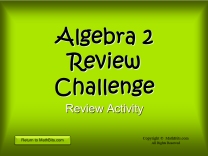
Opening Slide
|
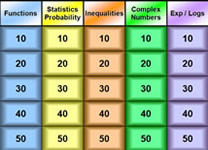
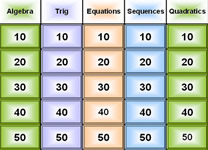
Question Board
|
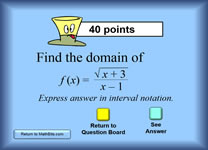
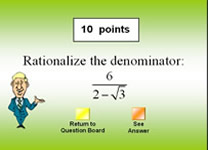
Sample Question Slide
|
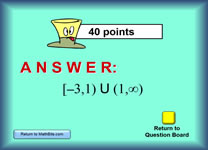
Sample Answer Slide
|
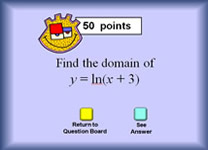
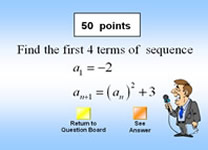
Sample Question Slide
|
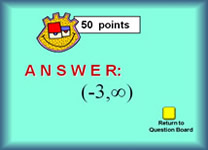
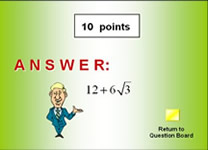
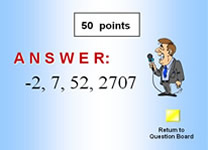
Sample Answer Slide
|
Possible Ways to Use This Activity in the Classroom:
Projected in the Classroom:
1. "Jeopardy" style
class game:
It's hard to play Jeopardy with a large class and keep everyone involved. Modifiied versions work best.
• Break into 5 (or more) groups. Assign a topic (or repeated topic) to each group. Let the groups work on getting their 5 answers. Ask each team to submit their answers. Check off the correct answers on the Jeopardy board for each team and total their score. The team(s) scoring the highest win(s) a prize of your choosing.
• Ask each student to choose 10 (or more) questions from the Jeopardy board (at least 1 from each category). Those become the Jeopardy game questions for that student. Remind them that the more points they can gather, the more likely they will win their personal game. Set a secret number for winning. Each student works on solving their questions to arrive at the listed answers. Correct "work" gains the student that number of points. Student reaching the secret winning total (or more) win a free day from homework (or what ever you choose). This can be done in class or assigned.
• If your class is relatively small (under 20)
you could form 3 or 4 teams and play in a Jeopardy Game style. I
have found that competitive teams do not work as well (as I would
like) with "larger" groups -- too many groups (or too large groups)
can prevent all students from staying actively involved.
• Whole Class Activity: Set an activity "number" ("This activity will require that we
answer enough questions to achieve a total point score of 500 points.")
Let volunteers choose questions. The task is for each student
(working alone or in groups) to show HOW to solve each question.
None of the "work" needed to arrive at the final answer is shown on the
slides, for this purpose.
•. Quiz: Pick the
questions that you wish to show for a quiz. Do not click on the
"See answer" button. Show only your questions.
Answers can be shown after the quiz is completed.
•. Ask 5 (or10) students to each pick a question. Those questions become a quiz, homework, classwork, etc. Students then work on-line to solve those problems.
• Modified BINGO: (generic Bingo Card)
On the screen, number the questions squares from 1 to 25. Have
students number their bingo card in a random fashion from 1 to 25. On your calculator, randomly generate numbers between 1 and 25 (write numbers on the board, as they are called, for all to see). Students solve a problem, when that problem number is called, and place the answer in their bingo numbered square. When a bingo winner appears, check the card for correct answers, draw a line through the winning list, and that player can continue playing to possibly win again. Play as long as you have time.
‹ Assign as Independent
Review: Students can work independently using
the On-Line activity for additional practice.
|